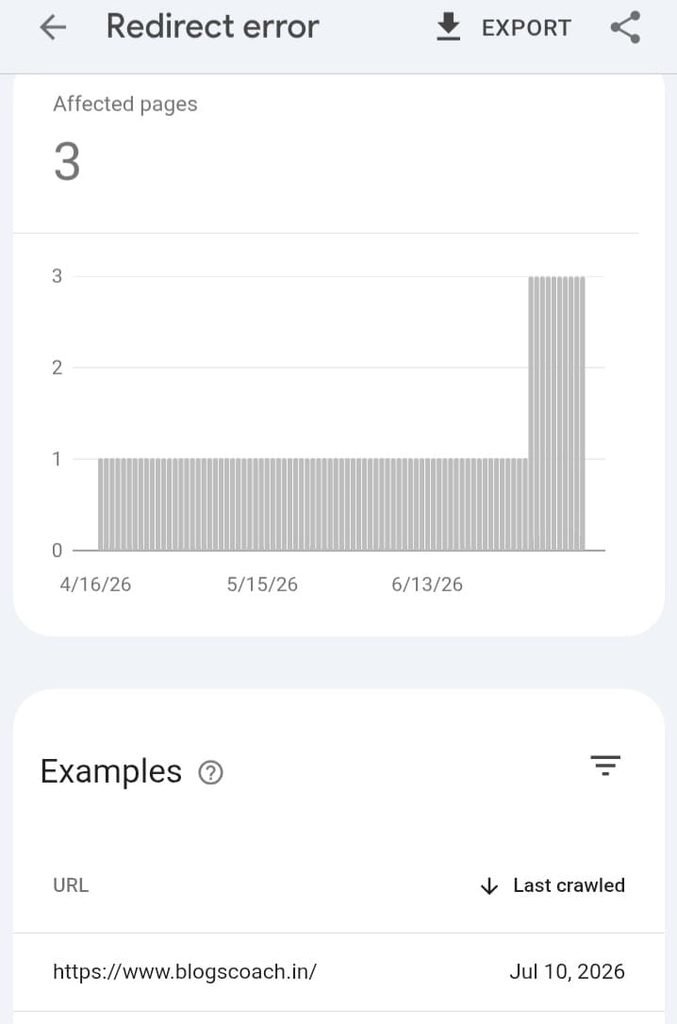
If you are a Google Blogger user, you might have encountered the frustrating Redirect Error in Google Search Console, especially the issue involving the “?m=1” URL parameter.
I experienced this problem on my blog, BlogsCoach, for a long time. It became so serious that not only my newly published articles but even my homepage struggled to get indexed by Google.
I tried different methods, searched for solutions online, and contacted other bloggers. Unfortunately, I couldn’t find a solution that worked for my particular situation.
After struggling with this issue for a long time, I finally decided to take a different approach: moving from Blogger to WordPress with custom hosting.
Surprisingly, after migrating, my homepage and newly published articles started getting indexed within a few hours.
In this article, I am sharing my personal experience, the Blogger ?m=1 Redirect Error problems I faced, and the solution that worked for me. If you are struggling with the same Blogger redirect error, I hope my experience will help you make a better decision.
Table of Contents
What Is the Blogger ?m=1 Redirect Error?
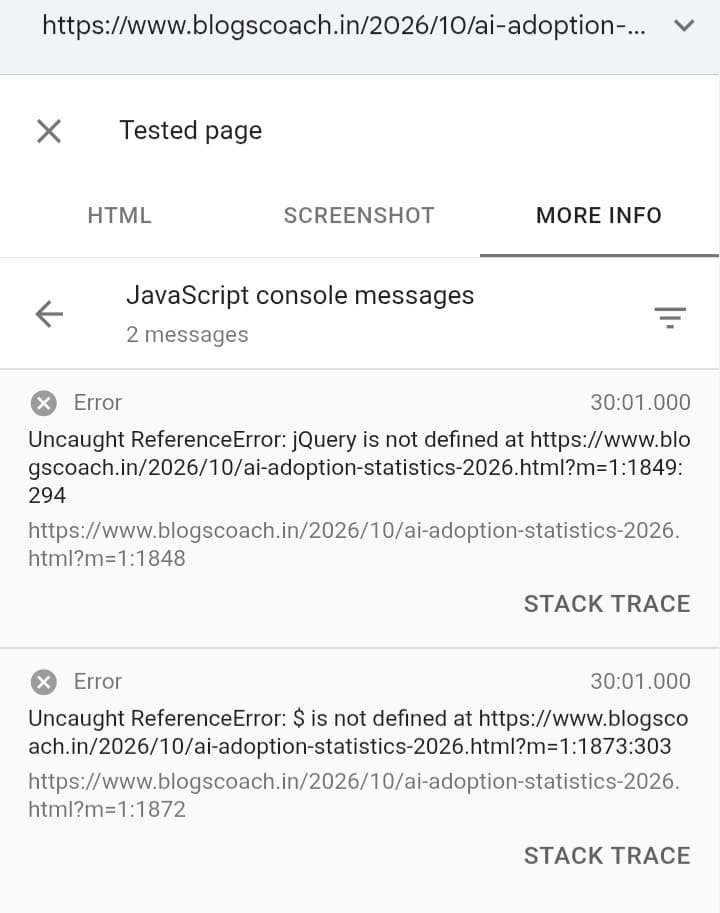
Google Blogger uses a mobile URL parameter called “?m=1” to serve mobile versions of blog pages.
For example, consider these two URLs:
- Desktop URL: “https://www.example.com/my-blog-post.html“
- Mobile URL: “https://www.example.com/my-blog-post.html?m=1“
Both URLs can display the same blog post, but Blogger uses the mobile parameter to serve its mobile version.
Ideally, Google should understand the relationship between these URLs through the canonical tag and select the preferred URL for indexing.
However, some Blogger users report seeing a persistent Redirect Error in their Google Search Console Page Indexing reports.
In my case, this problem became much more serious because my blog posts were not getting indexed properly.
My Experience With the Blogger Redirect Error
I run a blog called BlogsCoach, where I publish educational articles, useful information, technology updates, and AI-related content.
Initially, everything was working reasonably well. My blog posts were appearing in Google Search, and I was receiving some organic traffic.
But things changed over time.
I started noticing that my newly published articles were not getting indexed properly.
When I checked Google Search Console, I repeatedly encountered the following status:
“Page is not indexed: Redirect error.”
At first, I thought it was a temporary Google crawling issue. I expected Google to resolve it automatically after some time.
Unfortunately, the problem continued.
- None of My New Blog Posts Were Getting Indexed
The first major problem was that my newly published articles were struggling to get indexed.
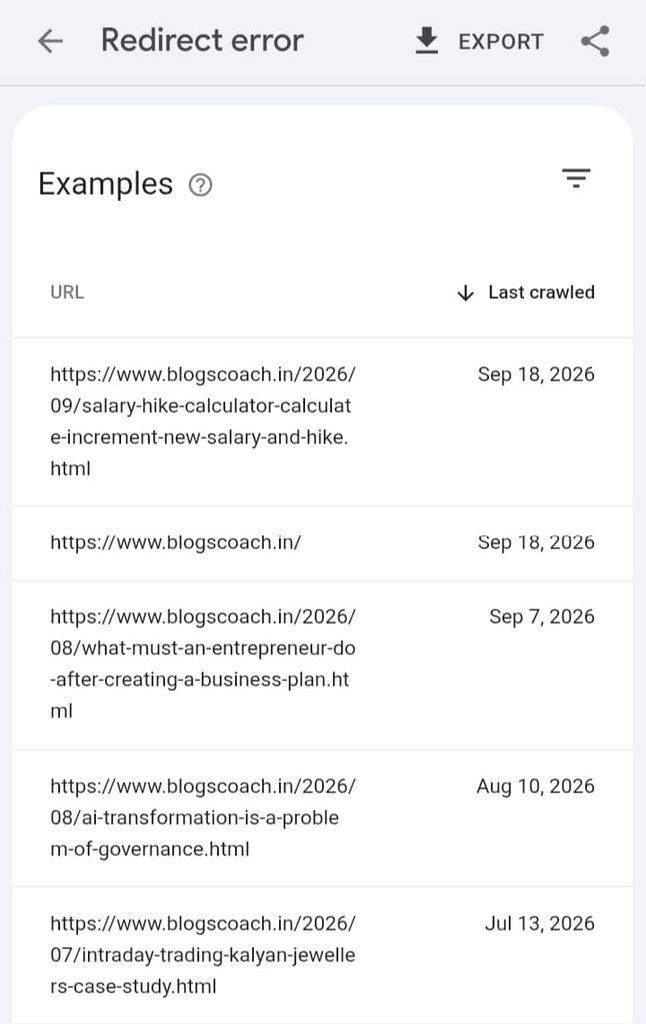
Even after publishing useful content and requesting indexing through Google Search Console, the URLs continued to appear under the Redirect Error report.
This was extremely frustrating because publishing content without getting it indexed made it difficult to grow my blog through organic search.
- Even My Homepage Was Facing the Same Problem
The situation became worse when I discovered that my homepage was also struggling with indexing.
It was no longer just an individual blog post issue.
My Google Search Console reports showed persistent indexing problems affecting important pages of my website.
For a blogger trying to build organic traffic, this was a serious concern.
- Updating Old Articles Created More Problems
Another frustrating experience was that some of my previously indexed blog posts were no longer updating properly in Google Search.
Whenever I updated certain old articles and requested indexing again, they also started appearing in the Redirect Error section.
This made me even more concerned because I was not just struggling to index new content; I was also having difficulties maintaining the visibility of existing articles.
- Searching Online Didn’t Help Me Find a Working Solution
I tried different methods and searched online for solutions.
I explored discussions, troubleshooting guides, Blogger-related SEO articles, and Google Search Central community discussions.
I also contacted some bloggers to understand whether they had experienced the same problem.
Unfortunately, I didn’t receive a solution that resolved my particular indexing issue.
I was mentally exhausted and almost lost hope of recovering my blog’s organic visibility.
Why Was the ?m=1 URL Getting Indexed Immediately?
During my troubleshooting, I discovered something interesting.
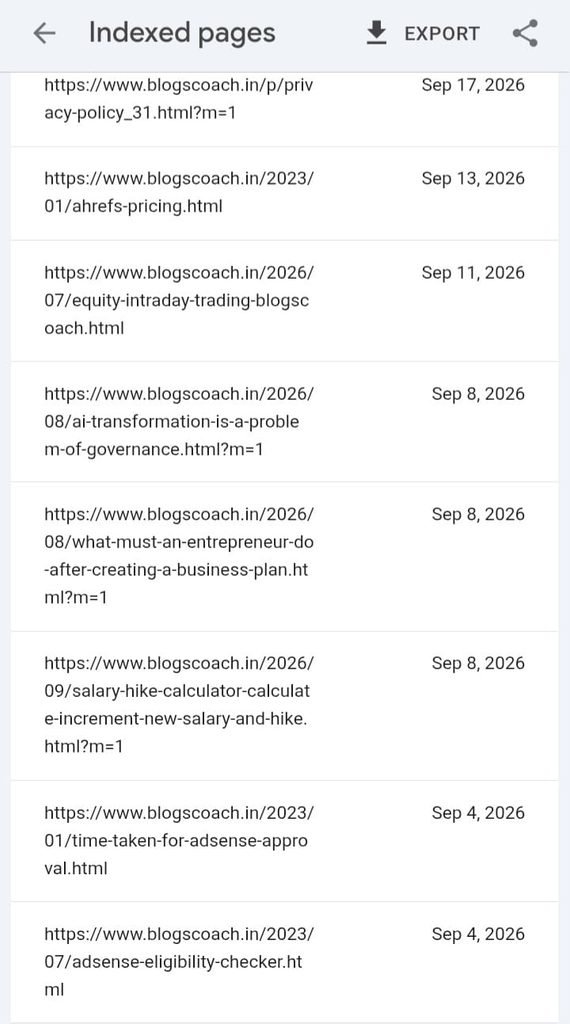
Whenever I tried requesting indexing for the normal desktop URL, it continued to experience the Redirect Error.
However, when I submitted the same article using its mobile URL version with “?m=1”, Google indexed it much faster.
For example:
Normal URL:
“https://www.example.com/my-blog-post.html“
Mobile URL:
“https://www.example.com/my-blog-post.html?m=1“
The second URL appeared to get indexed almost immediately in my tests.
But I was still concerned.
I wanted Google to recognize and index my preferred canonical URL rather than depending on the mobile URL parameter.
According to Google’s canonicalization guidance, website owners should provide consistent canonical signals to help Google identify the preferred version of a page.
The presence of a mobile URL alone does not mean that a website has an SEO problem. Google can consolidate duplicate URL versions and select the appropriate canonical URL.
However, my actual indexing experience with BlogsCoach was not improving.
How Did I Finally Resolve the Blogger Redirect Error?
After trying different approaches without success, I decided to take a major step.
I moved away from free Blogger hosting and migrated my blog to WordPress with custom hosting.
I considered hosting providers such as:
- Hostinger
- Bluehost
- Other reliable WordPress hosting providers
My intention was to move to a platform where I could have greater control over my website’s hosting environment, URL configuration, redirects, and technical SEO settings.
Why Did I Choose WordPress?
WordPress provides more flexibility when managing website infrastructure and SEO configurations.
Unlike relying entirely on Blogger’s built-in platform behaviour, a self-hosted WordPress website gives website owners more control over:
- URL structures and permalink settings.
- Redirect management.
- Canonical URL configuration.
- SEO plugins and technical SEO settings.
- Website hosting and server-level configurations.
- Website performance and optimization.
I wanted a website environment where I could manage these technical aspects more independently.
What Happened After Migrating?
This was the most satisfying part of my experience.
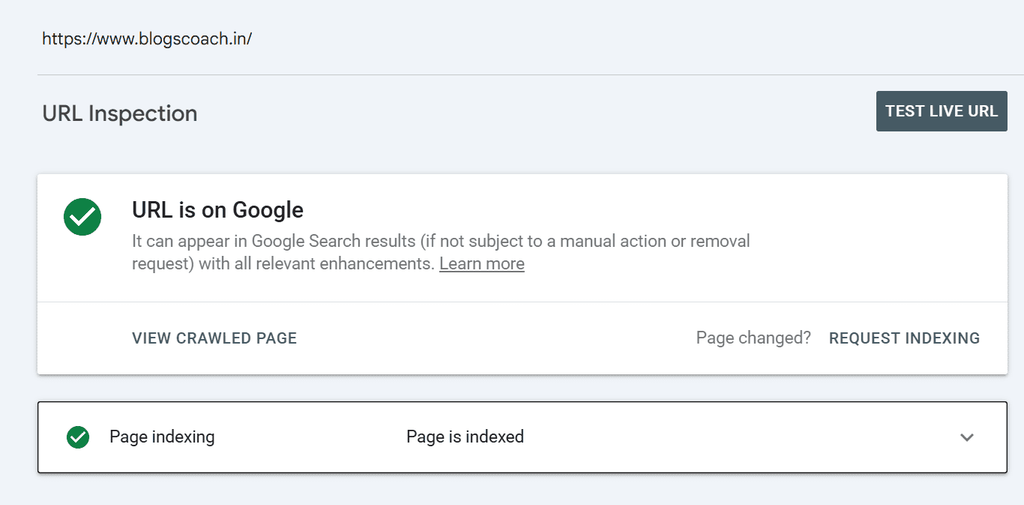
After migrating BlogsCoach from Blogger to WordPress with custom hosting, I noticed a significant improvement in my indexing experience.
Here is what happened:
- My homepage started getting indexed.
- Newly published blog posts started getting indexed within a few hours.
- I was no longer experiencing the same “?m=1” URL issue associated with Blogger.
- I could manage my preferred URL structure more directly.
Finally, I felt that I had found a practical solution to the problem that had troubled me for so long.
For my website, moving away from Blogger and switching to WordPress was the change that resolved my persistent indexing problem.
Is Moving From Blogger to WordPress the Best Solution?
In my experience, migrating to WordPress with reliable custom hosting was the most effective solution.
However, I want to clarify something important.
“Not every Blogger website experiencing a Redirect Error needs to migrate to WordPress.”
Blogger’s automatic mobile redirection using “?m=1” is a known platform behaviour. Google Search Central community guidance explains that these redirects can sometimes appear in Search Console even when the website is functioning as expected.
Therefore, before migrating, check the following:
- Verify whether the affected URLs load correctly.
- Use Google Search Console’s Live URL Test.
- Check whether your canonical tags are correct.
- Make sure your custom domain redirects are configured properly.
- Check for redirect loops and unnecessary redirect chains.
- Confirm that your sitemap and robots settings are correct.
If your Live URL Test succeeds and Google can access your preferred canonical URL, a Redirect Error in the historical Page Indexing report might not indicate a genuine technical problem.
But if you have persistent, genuine crawling and indexing problems that remain unresolved after proper troubleshooting, considering another hosting platform may be worthwhile.
Blogger vs WordPress: Which Is Better for SEO?
Both Blogger and WordPress can support websites that rank in Google Search.
WordPress does not automatically guarantee better rankings or indexing. Content quality, website accessibility, technical configuration, and user experience remain important.
However, if you want greater control over your website’s technical SEO, WordPress can provide more flexibility.
Important Things to Do Before Migrating Blogger to WordPress
If you are planning to migrate your Blogger website, don’t rush the process.
A poorly executed migration can create new SEO problems, including broken links, duplicate URLs, and loss of existing search visibility.
Follow these important steps:
- Take a Complete Backup
Export your Blogger content before starting the migration.
Keep copies of your posts, pages, images, and important website settings.
- Preserve Your Existing Permalink Structure
Try to maintain the same URLs for your existing articles wherever possible.
If you change the URL structure, prepare appropriate permanent 301 redirects from the old URLs to the corresponding new URLs.
- Configure Canonical URLs
Ensure that every important page has the correct canonical URL.
Avoid creating conflicting canonical tags or unnecessary duplicate versions of your content.
- Submit Your WordPress Sitemap
After migration, generate your XML sitemap and submit it through Google Search Console.
- Verify Your Website in Google Search Console
Check your new website property and inspect your homepage and important articles.
Use the Live URL Test to confirm that Google can access and render your pages.
- Monitor the Indexing Report
Keep checking your Page Indexing report after migration.
Look for redirect errors, server errors, excluded pages, and other crawling problems.
Remember that indexing is not guaranteed within a specific number of hours. Google decides when and whether to crawl and index individual pages.
My Final Thoughts: Don’t Let a Technical Problem Stop Your Blogging Journey
I know how frustrating it feels when you spend hours writing useful articles, publishing content regularly, and trying different SEO techniques, but your website still struggles to get indexed.
I experienced that situation with BlogsCoach.
The persistent Blogger “?m=1” Redirect Error affected my confidence and made me question whether I should continue blogging.
After trying different approaches, migrating to WordPress with custom hosting was the change that finally improved my website’s indexing experience.
My suggestion is simple:
“Don’t immediately abandon your Blogger website just because you see a Redirect Error in Google Search Console. First, investigate whether it is a genuine redirect problem or an expected Blogger mobile URL behaviour.”
But if you have verified a persistent technical issue and your website is still unable to get crawled and indexed properly, don’t be afraid to consider a platform migration.
Sometimes, taking control of your hosting environment and website configuration can be a worthwhile decision.
Your blogging journey shouldn’t end because of a technical problem. Keep learning, keep experimenting, and take the right steps to move forward!
If you are also experiencing the Blogger “?m=1” Redirect Error, share your experience in the comments. Let’s help other bloggers understand this issue and find the right solution.
Disclaimer: This article is based on my personal experience with BlogsCoach. The migration results described here are specific to my website and do not guarantee the same outcome for every Blogger website.
Read More:
~ Astra AI Review
~ Meigen AI Review
~ SJinn AI Review
